OPTICAL NETWORKING
Fibre Transceivers, Optical Power and DOM Playbook
How to select compatible optics and use Digital Optical Monitoring without turning receive-power numbers into generic pass/fail rules.
Install and connect an optical transceiver without guessing
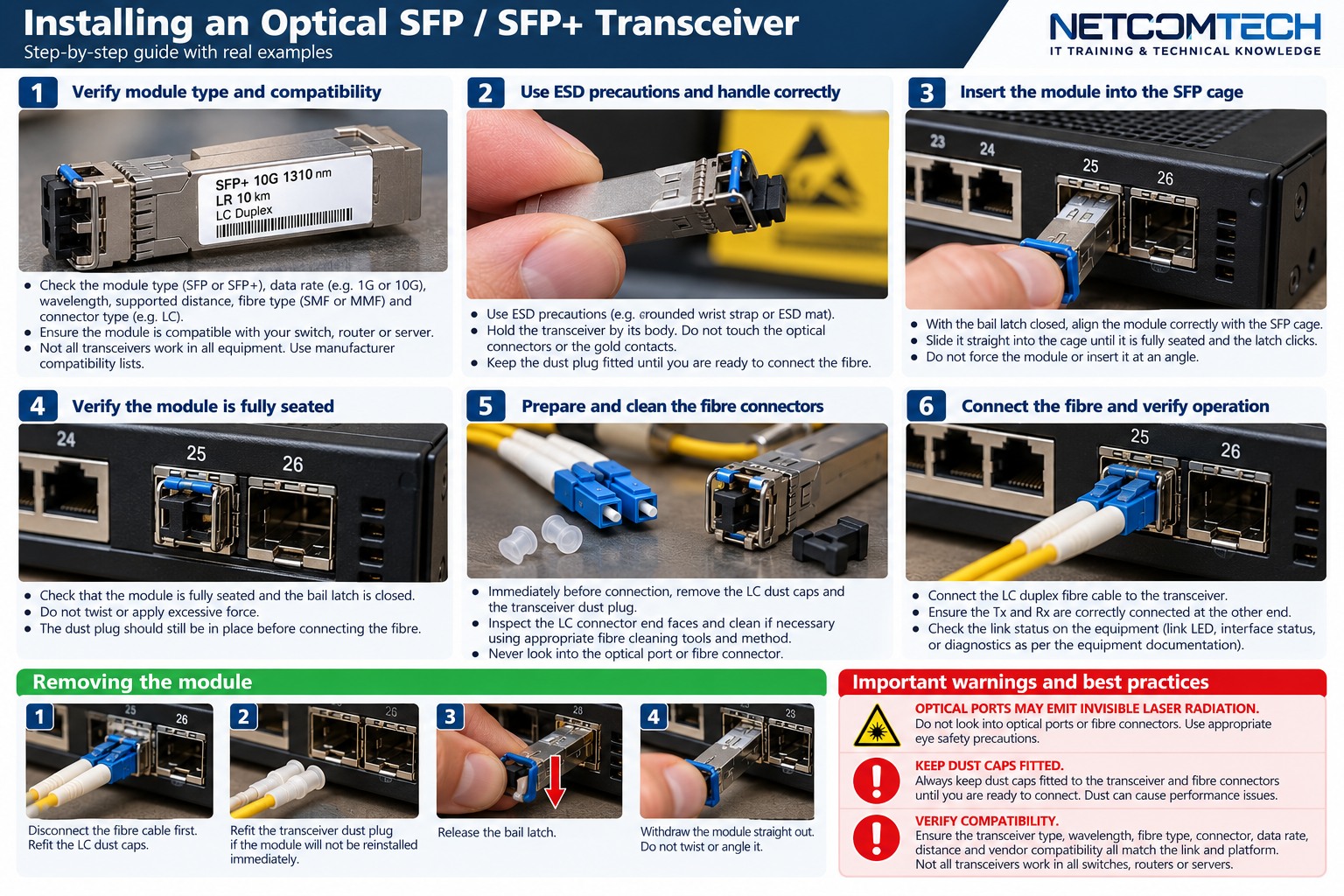
Transceiver compatibility is a six-part check
A transceiver link only makes sense when data rate, wavelength, fibre type, connector, distance/loss budget and platform support all line up. Matching connector shape alone is not enough.
Data rate and application
Confirm the switch/router port supports the transceiver form factor and application. A physically fitting SFP does not prove the port supports its speed or coding.
Wavelength and fibre
Use the optic manufacturer's specification for wavelength and supported fibre type. Do not infer single-mode or multimode solely from connector colour.
Optical power budget
Compare the transmitter output range and receiver input range from the transceiver specification with expected link loss. The installed fibre link loss should be measured using the correct fibre test method. Do not use a generic receive-power threshold across unrelated optic models.
DOM / DDM
Cisco documents DOM telemetry such as transmit optical power, receive optical power, transmit bias current and supply voltage for supported transceivers. These values can be compared with that transceiver's own warning/alarm thresholds.
Example checks
show interfaces transceiver detail
show interfaces diagnostics optics
Exact commands vary by platform.
How to use receive power properly
- Identify the exact optic model at both ends.
- Retrieve its supported receive range and DOM thresholds.
- Record current Tx and Rx values at both ends.
- Compare direction A-to-B and B-to-A separately.
- If one direction is weak, inspect/clean and test that path rather than replacing both optics immediately.
Installer trick
DOM is excellent baseline evidence. Record optical levels at handover. Months later, a change in receive power can help distinguish a degrading optical path from a configuration fault.
What does not work
- Calling any negative dBm value "bad". Optical power is always interpreted against the optic specification.
- Mixing wavelengths because both modules use LC connectors.
- Assuming link-up proves adequate margin.
- Using DOM as a replacement for fibre certification.