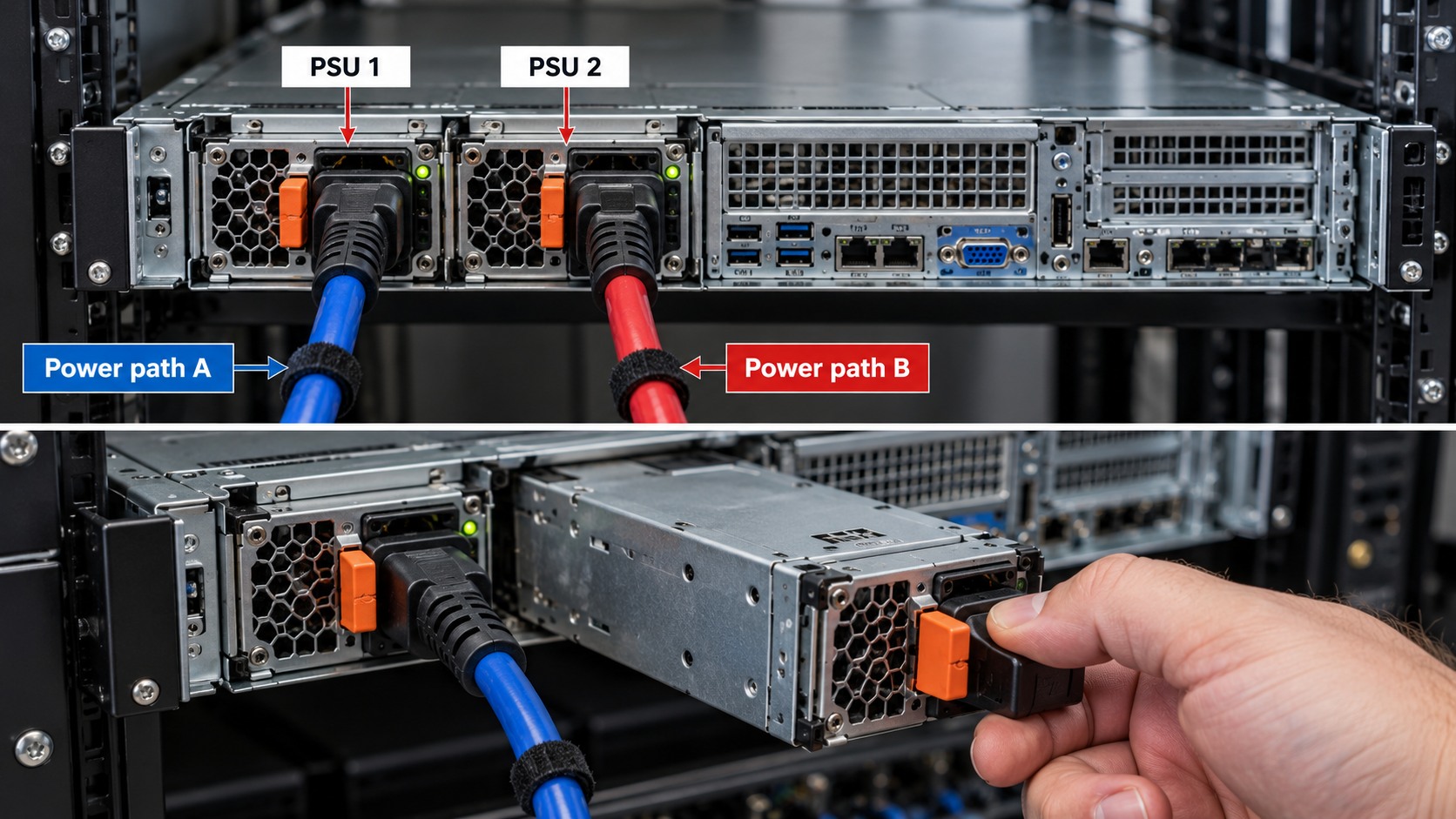
Use the exact server model, generation and manufacturer documentation before ordering or replacing a component. Similar appearance, wattage, connector or form factor does not prove compatibility.
1. A PDU distributes power, it does not automatically provide backup
A rack PDU provides outlets and power distribution within or near the rack. Whether it also provides metering, switching or other functions depends on the PDU model. A basic PDU is not a UPS.
2. Start with the upstream electrical design
Identify supply voltage, circuit rating, UPS/generator path, connector type and the permitted continuous load for the installation. Electrical work and protection must comply with the applicable site design and local requirements.
3. Outlet and plug compatibility
Count the required outlets and verify the actual plug type used by servers, switches, storage and UPS equipment. Do not plan a rack from outlet count alone.
4. A/B power requires independent upstream paths
Connecting PSU 1 to PDU A and PSU 2 to PDU B is useful only if the upstream design provides the intended independence. Two PDUs plugged into the same single point of failure do not create a fully independent A/B architecture.
5. Avoid accidental overload
Use measured or manufacturer input power for planning where possible. PSU nameplate output rating is not the same as the server's normal AC input draw. Allow for growth and the failure scenario in which one power path may have to carry the intended redundant load.
6. Rack power documentation
- Label PDU A and PDU B where applicable.
- Label circuits and upstream sources.
- Document which PSU connects to which PDU outlet.
- Record PDU load readings if metering is available.
- Keep power cables clear of fan exhausts and service areas.
- Test the designed failover path during commissioning where safe and approved.
HARDWARE FOR THIS TOPIC