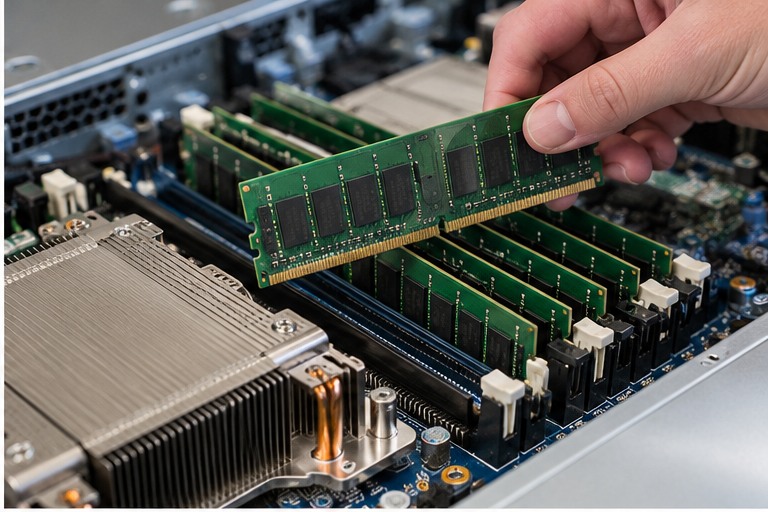
Do not approve a server component because its name, connector or physical size appears correct. Verify the server model, generation, supported option list and the component's exact specification.
1. ECC is a capability, not a complete compatibility answer
ECC describes error-correction capability, but 'ECC memory' is not one universal DIMM type. Server platforms can support different memory technologies and electrical organisations. A DIMM can be ECC and still be wrong for the server.
2. UDIMM, RDIMM and other server DIMM types
UDIMM means unbuffered DIMM. RDIMM means registered DIMM. Some enterprise platforms also support other registered or load-reduced memory technologies. Do not mix DIMM types unless the exact server documentation explicitly supports the combination.
The current Server Warehouse memory category illustrates this difference directly: it includes an HPE DDR4 ECC UDIMM, an HPE DDR4 RDIMM and a Lenovo DDR5 RDIMM. Those are not interchangeable simply because all are server memory.
3. DDR generation and physical fit
DDR4 and DDR5 are different memory generations with different electrical and platform requirements. Never force a DIMM into a slot. Even within one DDR generation, supported capacity, rank organisation and speed are platform-specific.
4. Ranks, x4/x8 organisation and why labels matter
Server DIMM descriptions often include terms such as 1Rx4, 1Rx8 or 2Rx8. The first part describes rank count and the x4/x8 part describes DRAM device width. These attributes can affect population rules. Treat the full memory part number and server qualification as the compatibility authority.
5. Memory channels and population order
Memory slots are connected to processor memory channels. Correct population is therefore not simply 'fill the slots from left to right'. Manufacturers define which slot in each channel is populated first and how DIMMs should be balanced across processors and channels.
Use the diagram inside the server lid or the exact server memory population guide. HPE, Dell and Lenovo slot naming and population sequences differ by platform.
6. Why installed memory can run slower than its label
The operating memory speed can be limited by the processor, DIMM type, number of DIMMs per channel and server platform. A DIMM marked with a particular transfer rate is describing the module capability, not promising that every server configuration will run at that rate.
7. Adding memory to a live server fleet
- Record the server model, generation and installed processor count.
- Record every installed DIMM part number, capacity, rank and slot.
- Check the vendor population rules for that exact platform.
- Determine whether existing DIMMs can remain or whether a balanced replacement is required.
- Verify supported memory speed and capacity.
- Install using ESD precautions and the vendor sequence.
- Verify detected capacity, health and operating speed after boot.
8. What good looks like
- All installed memory is supported by the platform.
- DIMMs are in the prescribed slots.
- Memory is balanced across processors/channels where required.
- The system reports the expected usable capacity.
- No memory-health or training errors appear during POST or management-controller checks.
- The observed speed is consistent with the supported configuration.
HARDWARE FOR THIS TOPIC
Apply the lesson to current Server Warehouse categories
These links are for the hardware class discussed in this chapter. Stock and individual product specifications can change, so use the product page and server documentation for the final compatibility decision.
Technical references
These manufacturer sources are used to keep the chapter tied to real server platforms rather than generic assumptions.