Do not approve a server component because its name, connector or physical size appears correct. Verify the server model, generation, supported option list and the component's exact specification.
1. Start with the server platform, not the CPU name
Server processors are platform-specific. A processor family name such as Xeon Silver or EPYC is not enough to prove compatibility. The exact server generation, socket, system board, firmware and supported processor list matter.
Server Warehouse currently lists processor kits from several Intel Xeon generations. That is precisely why a buyer should not assume that two processors carrying the same Xeon Silver branding are interchangeable.
2. Core count, threads and clock frequency
Core count describes how many physical processing cores are present. Some processors also expose multiple hardware threads per core. More cores can help highly parallel workloads and virtualisation density, while higher per-core performance can matter for workloads that do not scale across many cores.
Do not rank server CPUs using GHz alone. Architecture generation, turbo behaviour, cache, memory subsystem, workload and power limits all affect real performance.
3. Sockets and single-CPU versus dual-CPU servers
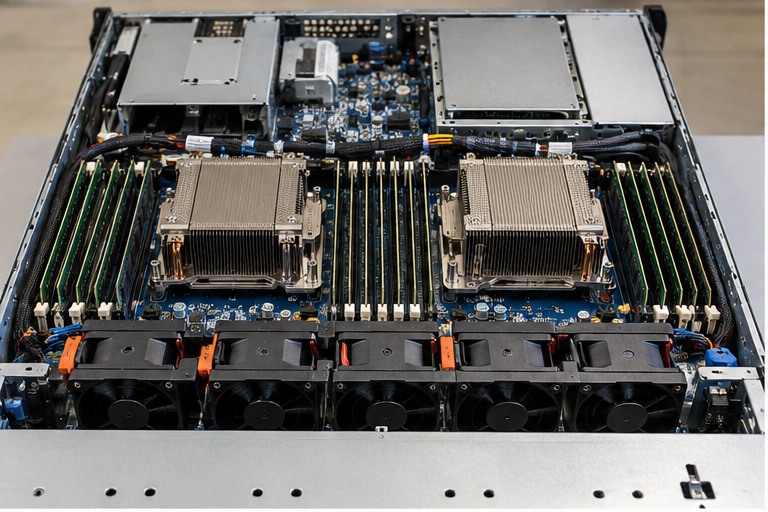
A two-socket server is designed to accept processors in two CPU sockets, but the second processor is not simply extra compute. On many server platforms each processor owns memory channels and PCIe resources. Installing only one CPU can therefore leave some DIMM slots or expansion resources unavailable.
When adding a second processor, use the server manufacturer's supported configuration rules. Processor matching requirements vary by platform.
4. Memory channels belong to the processor platform
The processor determines important parts of the memory architecture, including supported memory generation, channel count and maximum memory speed. A DIMM's rated speed does not guarantee the server will run it at that speed.
For example, HPE's DL360 Gen11 documentation describes eight memory channels per processor and states that maximum memory speed depends on processor selection and memory configuration.
5. TDP and cooling are design constraints
Processor thermal design power is part of the server's cooling and power design. A higher-power processor may require a specific heatsink, fan configuration, ambient-temperature limit or server configuration. Never replace a CPU solely because it fits the socket.
6. Workload selection
- File and infrastructure services often need balanced CPU, memory and storage rather than maximum core count.
- Virtualisation benefits from enough cores and memory bandwidth for the planned VM density.
- Database and licensed applications may make per-core performance and software licensing important.
- Analytics and compute-heavy workloads can benefit from higher core counts, memory bandwidth or accelerators.
The correct processor follows the workload and platform requirements, not a generic 'more cores is better' rule.
7. Processor upgrade checklist
- Identify the exact server model and generation.
- Check the manufacturer's supported processor list.
- Confirm socket count and existing CPU configuration.
- Check BIOS/firmware prerequisites.
- Verify heatsink, fan and power requirements.
- Check memory implications and channel population.
- Check software licensing implications.
- Plan firmware, shutdown, installation and post-change validation.
HARDWARE FOR THIS TOPIC
Apply the lesson to current Server Warehouse categories
These links are for the hardware class discussed in this chapter. Stock and individual product specifications can change, so use the product page and server documentation for the final compatibility decision.
Technical references
These manufacturer sources are used to keep the chapter tied to real server platforms rather than generic assumptions.