Why this chapter exists
A neat rack is easier to change, easier to audit and less likely to develop connector damage from hanging cable weight.
See the physical work before reading the details
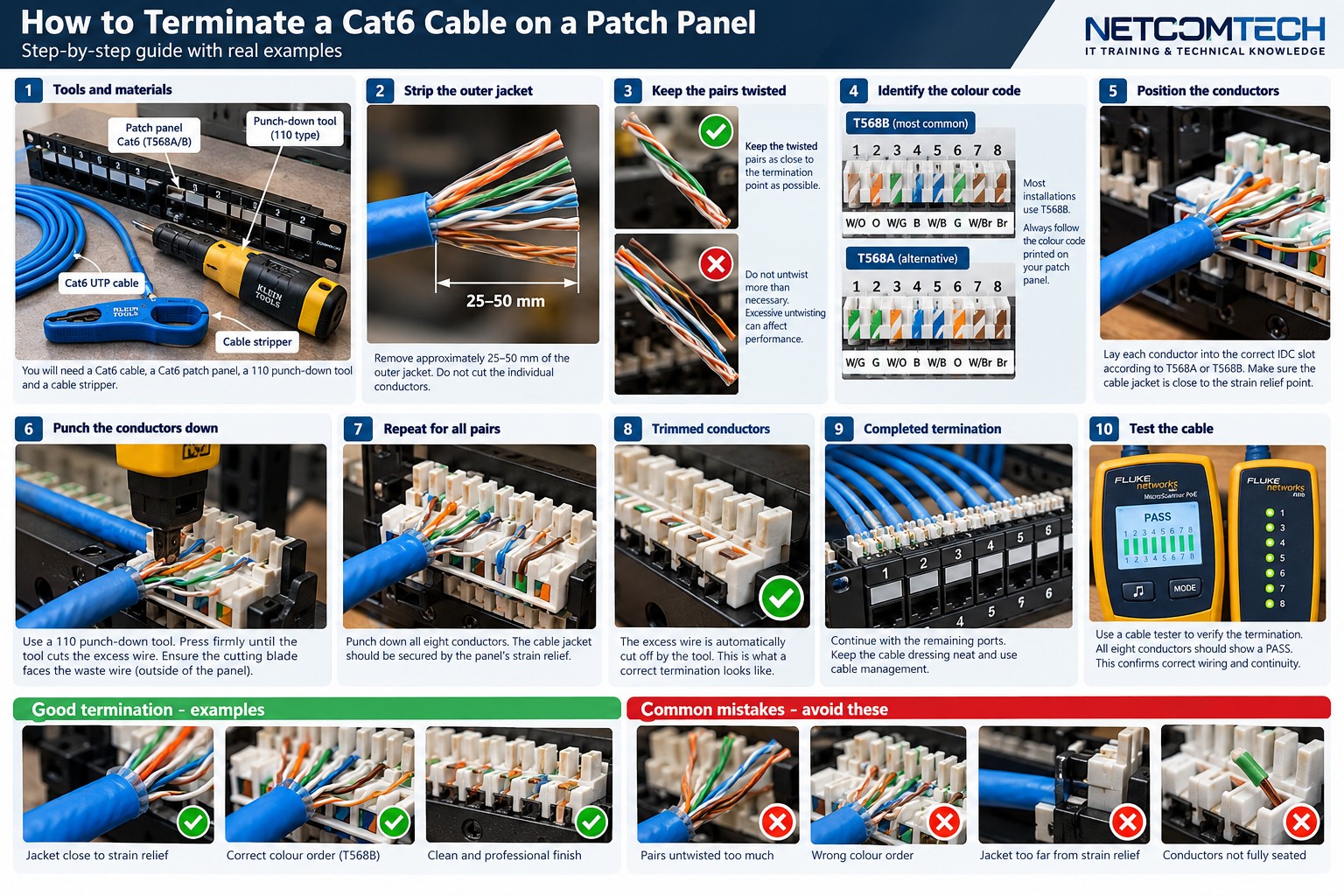
Visual training reference. The exact IDC layout, strip length, support method and termination tool depend on the patch-panel manufacturer and the project specification.
Patch-panel termination from preparation through testing
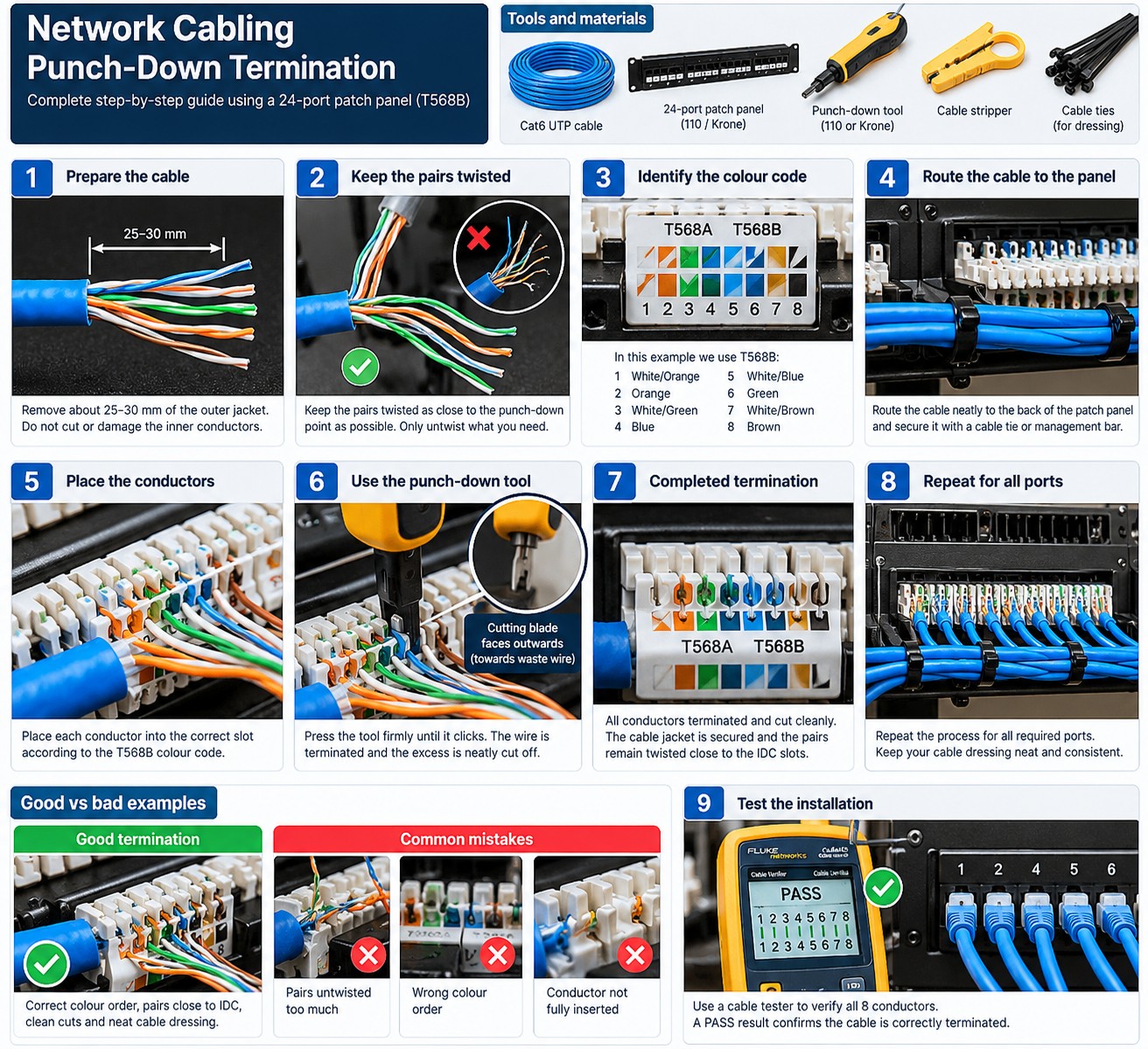
5.1 Plan port order before terminating
Decide the numbering scheme and route cable bundles to the correct side or rear support. Label both cable and destination before the cable is cut to final dressing length.
Do not terminate first and invent the patch-panel numbering afterwards.
5.2 Support the cable before the IDC
Rear cable managers or support bars should carry the bundle so cable weight is not hanging from the IDC contacts. Use hook-and-loop or manufacturer-approved retention without crushing the jacket.
Keep bend radius smooth as cables turn into the panel.
5.3 Terminate pair by pair
Follow the panel color code and keep pair twist as close to the termination as practical and as required by the component instructions. Do not fan out a long decorative section of straight conductors.
For shielded panels, also preserve screen continuity and follow the bonding instructions.
5.4 Dress for serviceability
Leave enough controlled service length to replace or reterminate a port, but avoid giant loops blocking airflow or other equipment. Keep horizontal cable separate from the front patch-cord field.
Photograph the rear of the panel before cabinet access becomes crowded.
5.5 Test every link
Certification should reference the final cable ID and panel port so a future technician can match the report to the physical installation.
Workshop exercise
Build a sample of this installation method on a training bench. Photograph the preparation before termination, the finished termination and the test result. Explain what would cause you to reject your own work.
Acceptance checklist
- The component matches the cable construction and category.
- The manufacturer's installation method was followed.
- No conductor, jacket, screen or fibre damage is visible.
- Pair twist, bend radius and strain relief are preserved.
- The correct test model and limit were used.
- The cable ID matches the drawing and test report.
Technical references
Manufacturer instructions and the project standard always override generic training examples.